AI governance framework: a UK employee policy template
Give staff an AI policy they can use. Eight decisions, an inline template and a weekly request workflow, with platform controls and human sign-off.
By Ivan Pylypchuk (opens in a new tab), CEO of Softblues. Sources checked 6 October 2026.
An AI acceptable use policy should tell an employee which account to use, what information can go into it and who accepts the result. AI can draft answers from the approved policy and flag missing information. A named person still approves exceptions and changes to access.
Softblues (softblues.io) helps UK and Irish firms become AI-native across Microsoft 365 Copilot, Claude and ChatGPT. This practical AI governance framework starts with one recurring job: answering staff requests to use AI without making the compliance lead rewrite the same explanation every week.
What are the key facts?
- Microsoft: Purview can exclude labelled content from Copilot processing; exclusion does not necessarily hide the item from citations. Checked 6 October 2026. Microsoft documentation.
- ChatGPT: app access, supported actions and approval permissions are separate controls. Checked 6 October 2026. OpenAI admin documentation.
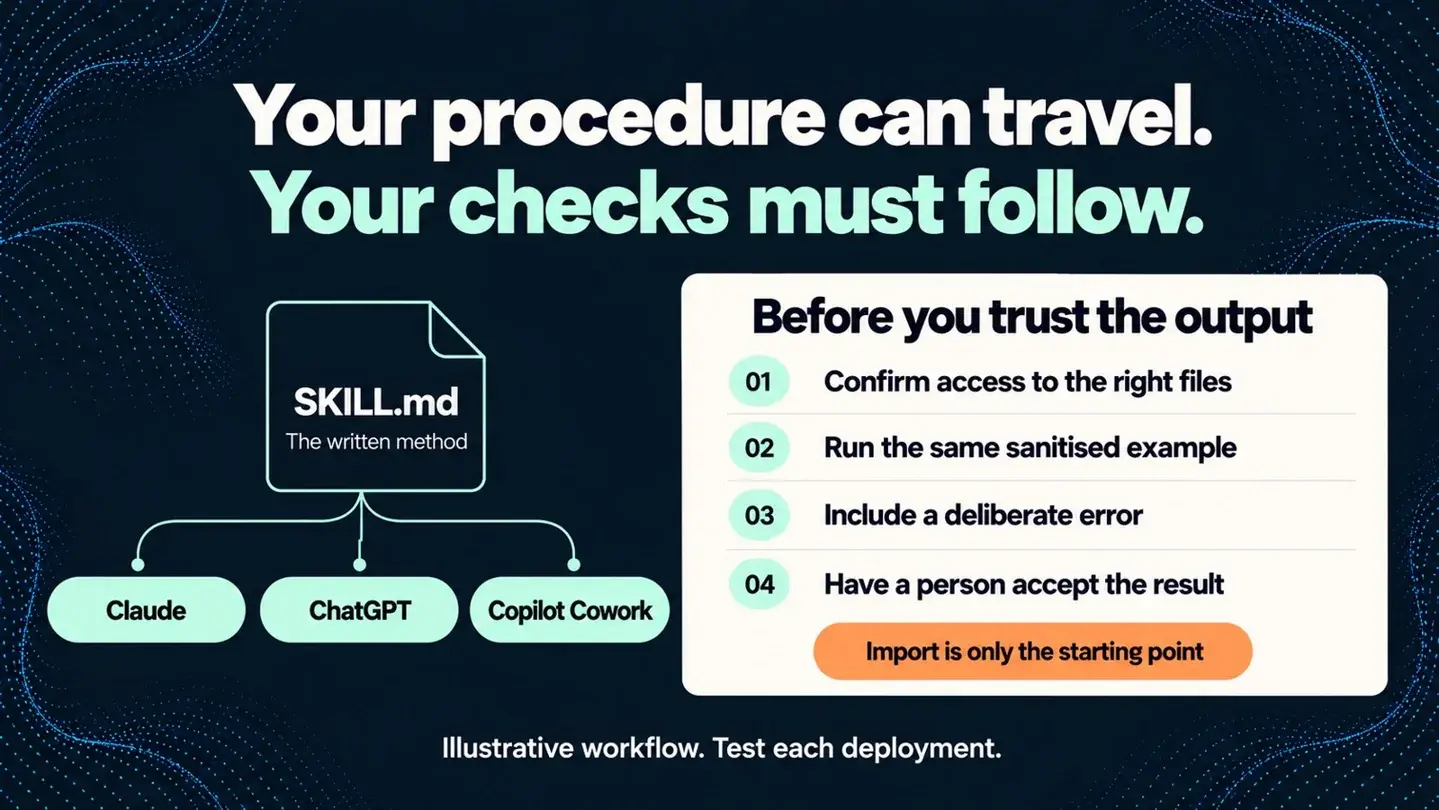
- Claude: organisation-wide skill management is available on Team and Enterprise. A distributed skill is a procedure, not proof that access is restricted. Checked 6 October 2026. Anthropic documentation.
- ICO: assess whether processing needs a data protection impact assessment; its AI guidance is under review following legislative changes. Checked 6 October 2026. ICO guidance.
- SRA: people remain accountable for their work when they use AI, including accuracy and confidentiality. Checked 6 October 2026. SRA warning notice.
Which weekly job should the policy make easier?
Start with the questions your operations or compliance lead already answers: can I upload this document, connect that folder or use this draft with a client?
In our core guide this is Agent 1, Policy and procedure assistant, P1: in-seat setup. Supply the policy manually. It explains rules but cannot grant permission. Live connections or schedules move the setup into P2.
Measure one week of requests, handling time and rework, including human review. We have no universal saving to quote. For wider rollout assumptions, use the whole-firm AI ROI calculator; capacity released is not automatically profit.
See the wider AI governance programme and shadow AI problem. Here we focus on employee rules.
What are the eight decisions behind the template?
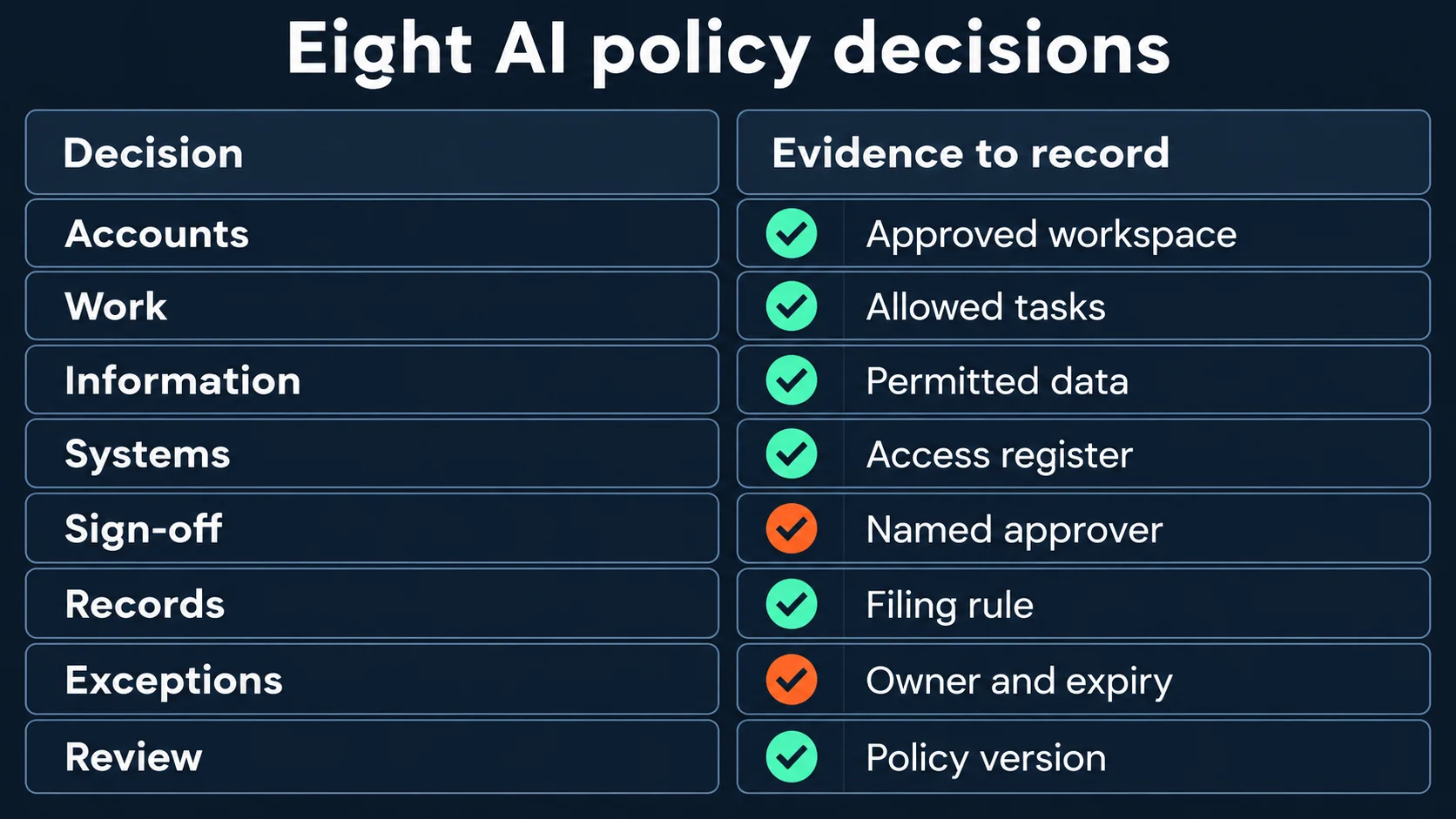
Decide these before drafting. These are proposed operating choices; compliance and IT must adapt them to your firm.
| Decision | What a usable answer looks like |
|---|---|
| 1. Approved accounts | Named business workspace and sign-in route; personal accounts excluded from company work. |
| 2. Allowed work | Internal drafting and policy lookup allowed; client advice requires named review. |
| 3. Permitted information | Each data class mapped to an approved use; uncertain or restricted material stopped for review. |
| 4. Connected systems | A register names the source, permitted users and read or write access. |
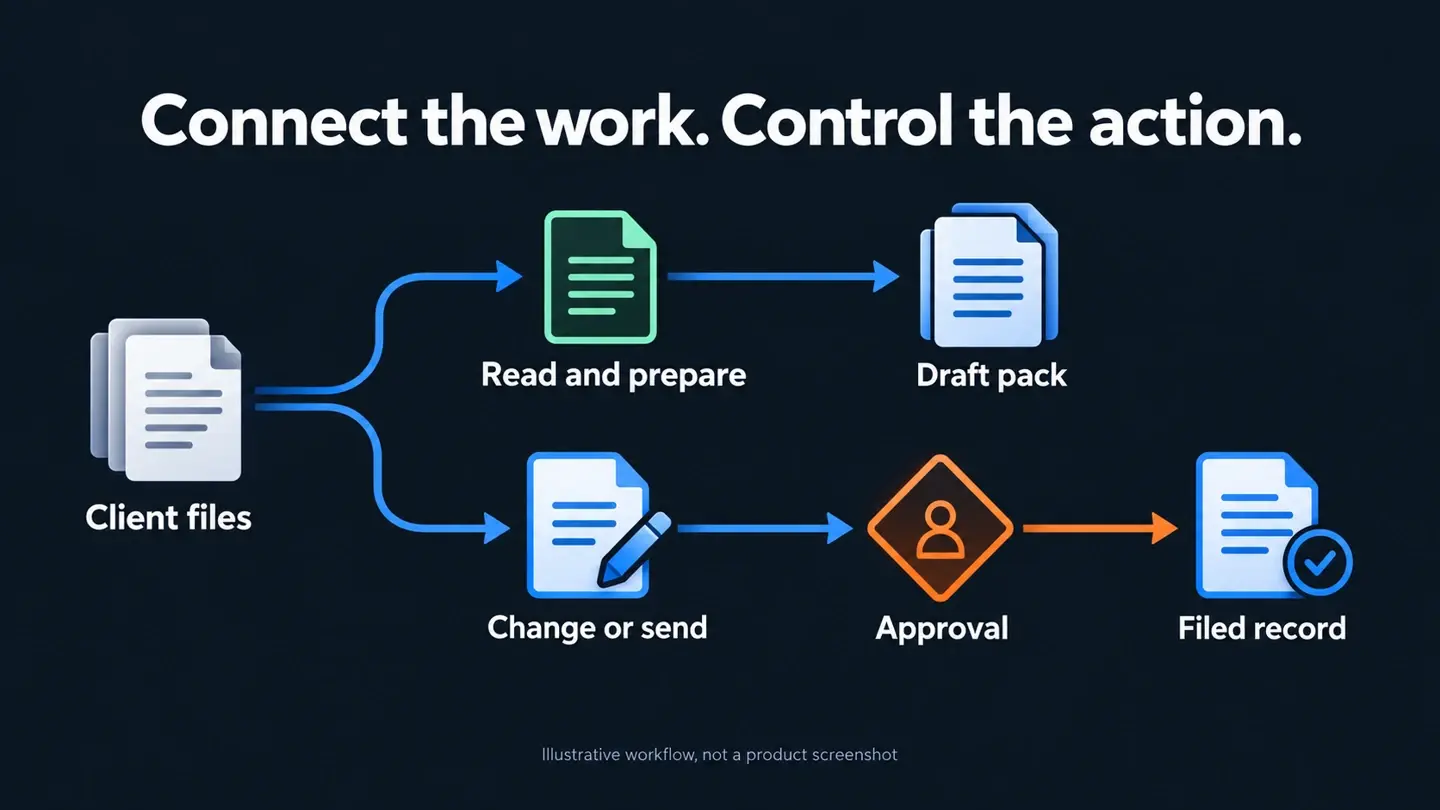
| 5. Actions and sign-off | Drafting allowed within scope; sending or changing a record requires the designated approver. |
| 6. Records and retention | Accepted output and decision evidence filed in the approved record system under its retention rules. |
| 7. Incidents and exceptions | One reporting route; exceptions have an owner, scope and expiry. |
| 8. Ownership and review | A named policy owner reviews changes and repeat questions on an agreed cadence. |
Get the deck: Four ways to make a regulated firm AI-native sets out the adoption routes behind these decisions. For help applying them, book a discovery call.
What can employees use as a starting policy?
Adapt this AI acceptable use policy template. Name the contacts and publish the registers before issuing it; copying it does not establish compliance.
Use AI for company work only through the business accounts listed in our approved-tool register. Sign in with your work identity. Do not move the work to a personal account when an approved tool blocks it.
Use each tool for its approved tasks. The responsible person must check sources and accept outputs before they are relied on or shared externally.
Check permitted data before uploading or pasting. Exclude credentials and restricted information. If permission is unclear, stop and ask the policy owner.
Connect only approved systems using your role's access. Reading permission does not authorise sending messages, changing records or sharing files. Obtain designated approval.
File accepted work, source and required approval evidence in the company record system. Follow its retention schedule; do not rely solely on chat history.
Report disclosure, unexpected access or incorrect actions immediately through the incident route. Preserve evidence and follow the response team's instructions.
Request exceptions before proceeding. Record the approver, purpose, data scope, action and expiry. AI cannot approve an exception.
Use the current policy. Tell its owner when a task falls outside it. The owner reviews repeat questions and communicates changes.
How does a request become a filed decision?
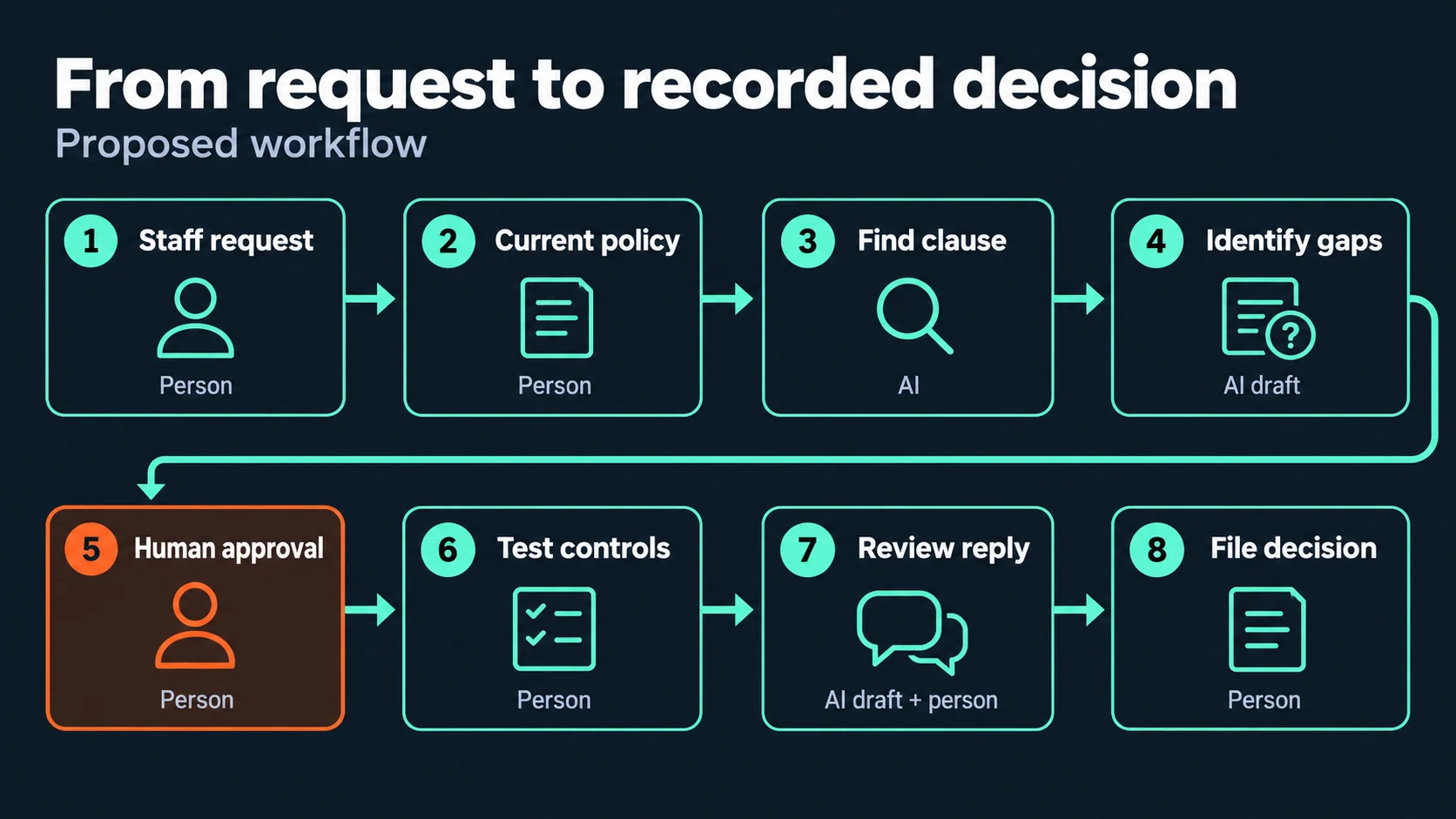
Use this proposed weekly procedure. Route urgent incidents immediately.
1. Person: submit the request. Name the job, account, information category and intended action. Use a sanitised description rather than attaching the sensitive document.
2. Person: select the current policy. The owner supplies the approved version and checks its effective date.
3. AI: find the applicable clause. Return the clause, version and source passage. If no clause applies, state that; do not infer permission from a similar example.
4. AI drafts for a person: identify gaps. Ask for missing facts, such as whether the result stays internal or changes a client record.
5. Person: decide and approve. The authorised owner accepts the interpretation or decides the exception. This is the approval point.
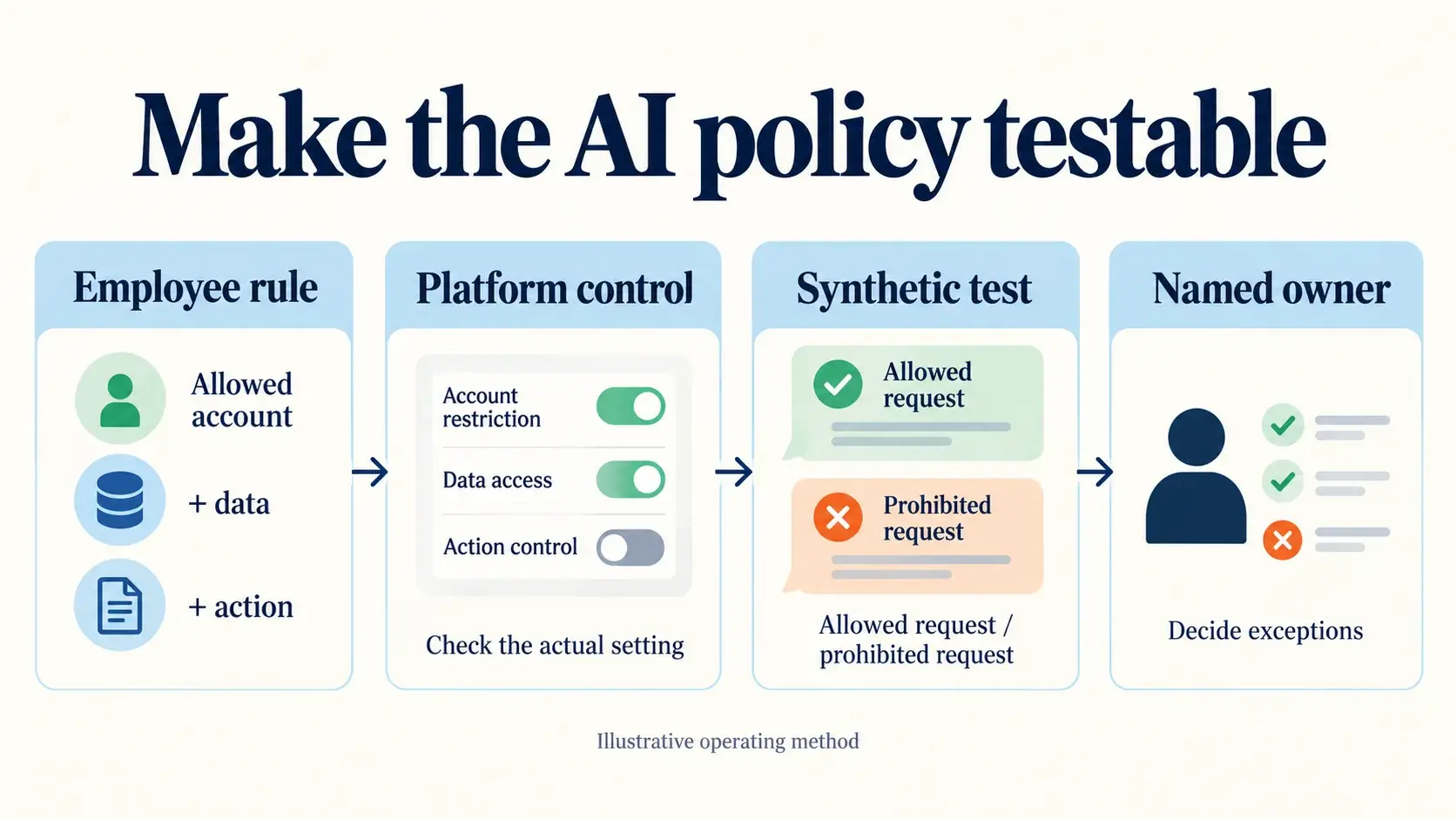
6. Person: check the configuration. IT verifies the relevant restriction in the actual account and product surface, using synthetic data. Record a permitted test and a prohibited test.
7. AI drafts for a person: prepare the reply. Explain the decision and next action. The owner checks it and sends it through the usual channel.
8. Person: file the record. Save the request, policy version, decision, test evidence and any exception expiry.
Which platform should a Microsoft-first firm use?
Try an existing approved Copilot seat first for a manually supplied policy. Consider Claude or ChatGPT where they are already governed and better fit the document work. Do not buy another platform merely to draft a policy.
| In this job | Microsoft 365 Copilot | Claude Team or Enterprise | ChatGPT Business or Enterprise |
|---|---|---|---|
| What it does | Draft an interpretation from approved material; keep the decision with the owner. | Apply a maintained policy-reading procedure through a skill. | Draft from approved material, with apps enabled only if needed. |
| What needs checking | Access, labels and applicable Purview rules; confirm licensing and coverage. [M] | Skill availability and creation policy; owner provisioning does not impose every security rule. [A] | App availability, supported actions and approval permissions; controls differ by app and plan. [O] |
| Where the record ends up | Owner files it in the approved company location. | Owner files it in the approved company location. | Owner files it in the approved company location. |
| Honest limit | A rule protecting one input route does not prove every route is covered. [M] | A skill can guide behaviour but cannot replace the firm's access controls. | A confirmation prompt does not establish business authority. |
Filing choices are our recommendations; product controls use sources [M], [A] and [O], checked 6 October 2026.
Ask IT to demonstrate the restriction. Microsoft's documentation distinguishes labelled-content controls from sensitive prompt controls, with the latter in preview. It also identifies limits for files uploaded directly into prompts. Test your intended route rather than interpreting a product name as a guarantee. [M]
What do UK regulators expect?
The ICO's guidance calls for accountable decisions about personal-data processing and case-by-case assessment of whether a DPIA is required. It is currently marked under review following the Data (Use and Access) Act. Have the responsible privacy lead check the current position for the proposed use; avoid a blanket claim that every AI task needs the same paperwork. [I]
The FCA says its approach relies on existing frameworks and emphasises senior-management accountability. For legal work, the SRA's warning highlights incorrect output and confidentiality, including risks in paid tools. A named reviewer needs enough information and authority to reject the result. [F, S]
UK guidance is not an Irish compliance assessment. Irish operations need their applicable EU and Irish requirements checked separately. The financial-advice compliance file-review case illustrates our proposed design for human review and evidence; it is a discovery/proposal example, not a production-results claim.
What should you do this week?
Start without buying software. Ask the policy owner: "Which recurring request can we answer consistently from the rules we already have?" A useful answer names a clause and the person who decides when it does not fit.
Then use an existing approved seat. Ask IT: "Show an allowed example and a blocked example using synthetic information." Keep the results with the policy.
Pay for additional configuration or discovery only when you can name the missing control or ownership decision. Ask for the exact gap, the proposed fix and its acceptance test before requesting a quote.
Softblues uses governed AI working practices in its own business. Our AI adoption discovery and roadmap helps firms connect policy decisions to the work and systems they already run.
Frequently asked questions
Is this an AI acceptable use policy template we can copy?
Yes, as a starting point for your firm's review. Add named owners and working registers, then test the controls before issuing it. It is not a regulator-approved policy.
What belongs in an AI policy for employees?
State the approved accounts, tasks and information, then explain connections, sign-off, records, incidents and ownership. Include a practical route for a request the policy cannot answer.
Will a shadow AI policy stop personal-account use?
A document alone cannot establish that. Pair a usable approved route with training, proportionate technical controls and an incident process; test what your own environment actually enforces.
Does an AI usage policy make us UK GDPR compliant?
No. It is one part of a wider assessment of the processing, safeguards and responsibilities. Your privacy lead should review the use case and current guidance, including any DPIA requirement.
Sources checked 6 October 2026
Work out your numbers
Your whole firm
AI ROI calculator
Five questions about your firm. See the time AI frees up, what it is worth and when it pays for itself.
Work out your numbersOne key process
Process automation ROI calculator
Five questions about one process. See the hours an AI agent frees up, what they are worth and how much becomes profit.
Work out your numbers
Free. No sign-up. Your answers stay in your browser.
See it in production
Systems we have built and run for clients, with the numbers that came out of them.
Related Articles

Claude vs ChatGPT vs Copilot: what does an AI agent task really cost?
MCP server access: Claude, ChatGPT and Copilot in Microsoft 365