OpenAI DevDay 2026: my first impressions for business
OpenAI has introduced ongoing agents, shared workspaces and new ways to work in Teams. Here is what I would explore first, with practical business examples.

By Ivan Pylypchuk (opens in a new tab), CEO of Softblues. First impressions, 30 September 2026. Product availability checked on that date.
Your team's unfinished work is where I see the most interesting opportunity in OpenAI's latest announcements. Preparing a client brief, checking a document pack, keeping colleagues informed: these are jobs I would look at first.
OpenAI DevDay on 29 September introduced persistent agents, shared workspaces and new ways to use ChatGPT inside business processes. My first impression is that these pieces could make delegation much more practical. This is my reading of the announcements and documentation, with illustrative examples, rather than a report from testing every release.
At Softblues (softblues.io), we help UK and Irish firms become AI-native across Microsoft 365 Copilot, Claude, ChatGPT and Gemini. We are an OpenAI Select Partner. These announcements give me plenty to investigate for our clients, alongside the tools they already use.
What should a business know first?
The useful changes concern how work starts, where context lives and what happens after an AI produces its first answer. Availability still depends on the product, plan and region.
Key facts, checked 30 September 2026
- GPT-6.1 Sol is available in the API, ChatGPT Work and Codex, but not yet in regular Chat. OpenAI.
- Dots are rolling out with regional and plan restrictions. Personal Pro access excludes the UK, EEA and Switzerland; Business Premium includes supported ChatGPT regions. OpenAI Help.
- ChatGPT can join work conversations in Slack and Microsoft Teams through a configured company connection. Product details.
- Pages provide shared documents for people and AI. Collaborative slides are still forthcoming. ChatGPT Space.
- Specialist dots remain limited pilots; Private Inference is a forthcoming preview. Neither is a general deployment promise. Dots and DevDay recap.
What is a dot, and where could it help?
A dot is an ongoing personal agent with its own cloud computer and access to connected tools. OpenAI describes it as learning what matters to its user and continuing work between conversations. It runs on GPT-6 Astra. Introducing dots.
I would first try it on preparation work. Imagine a director who wants a briefing before each client review: recent correspondence, decisions still open and questions worth asking. The instructions would specify which sources to use and how to report gaps.
That is an illustrative use case, not a result we have measured. I would compare the briefing with the source material before trusting it as a routine.
OpenAI also described specialist dots with dedicated responsibilities, such as procurement. Those are limited enterprise pilots. I would keep that distinction clear when planning a project.
For a British or Irish business, the plan matters. Personal Pro dots exclude both the UK and EEA at launch. Business Premium has broader regional availability. Enterprise access is a beta that an administrator must enable. Availability.
My interest is in giving a well-defined responsibility to an agent and seeing how reliably it handles the ordinary cases. A vague instruction to "manage my clients" would tell us very little.
How could this work inside Microsoft Teams?
ChatGPT can now participate in Slack and Teams conversations, using tools connected by an administrator or permitted by the user. Colleagues can add context and refine the result together. People in enabled channels do not necessarily need individual ChatGPT licences, although company setup and usage conditions still apply. ChatGPT in Slack and Teams.
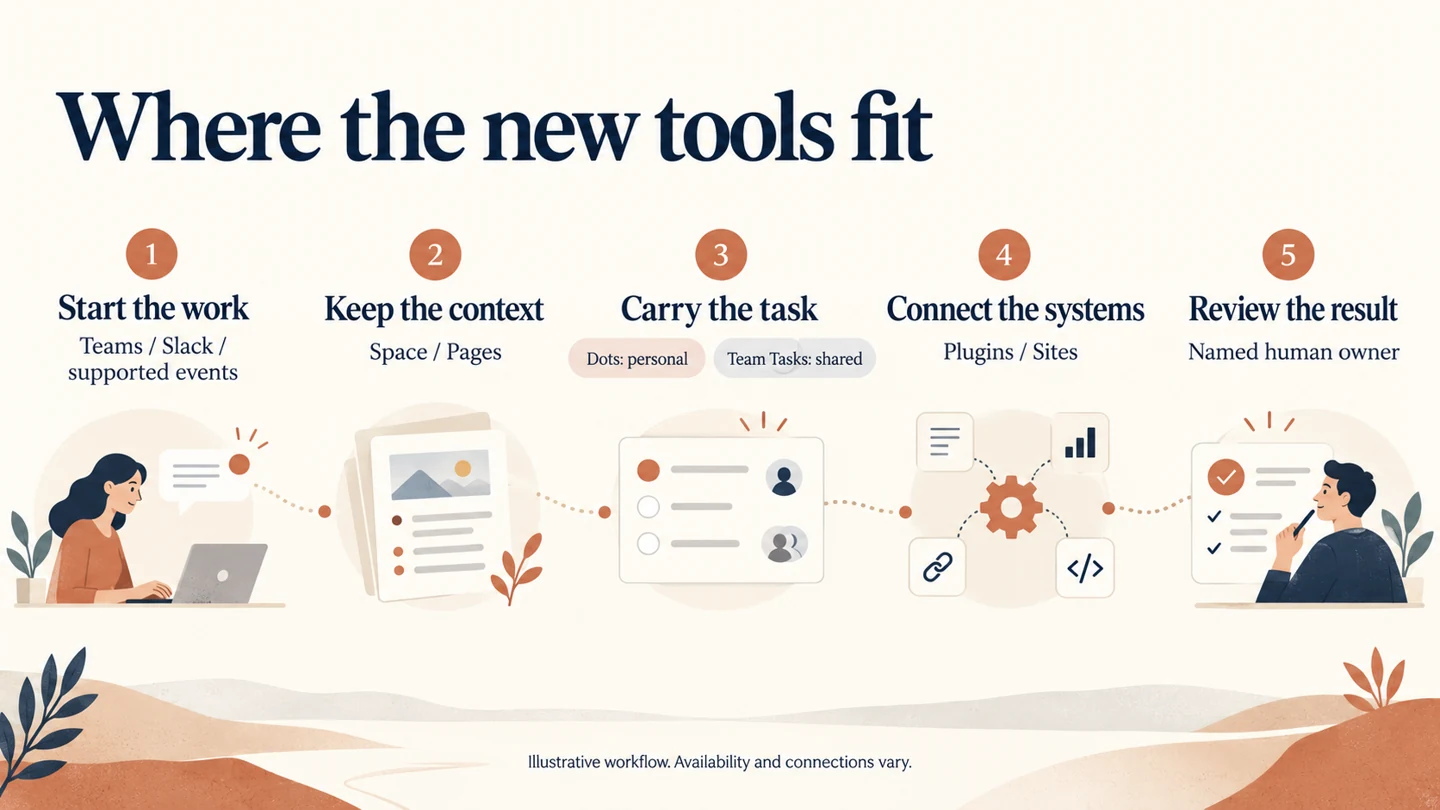
For a firm already working in Teams, I see a useful starting point. An account manager could ask for a draft client-review agenda in the relevant conversation. A colleague adds an unresolved issue. The team corrects the draft where everyone can see it.
Separately, Team Tasks let a company organise shared work that runs on a schedule or in response to an event. The team maintains the instructions and configured connections. Team Tasks.
I would use that distinction when scoping a trial: a personal dot helps one person's ongoing responsibilities; a shared task belongs to a defined team process.
This also gives Microsoft-first firms another option to assess. I would still begin with what their existing Copilot setup can already do. Adding a second platform needs a clear benefit for the job.
What do Space and Pages change?
Space gives a team a shared home for its work. Pages are documents that people and agents can develop together, including research, charts and interactive material. Collaborative slides are expected in the coming weeks. Space and Pages.
I like the possibility of keeping a client brief current in one place. Meeting decisions, open questions and the next review could sit together, with named people responsible for checking them. Updates would need configured instructions and connections.
A shared page is still a working document. For a regulated firm, I would decide separately where the approved client record belongs and how it gets there.
Get the deck. Our AI adoption guides explain the four paths we use when choosing an approach: a governed assistant seat, a connected agent, an engineered agent or a custom build. That is a useful starting point before choosing features.
How could the new tools help with client onboarding?
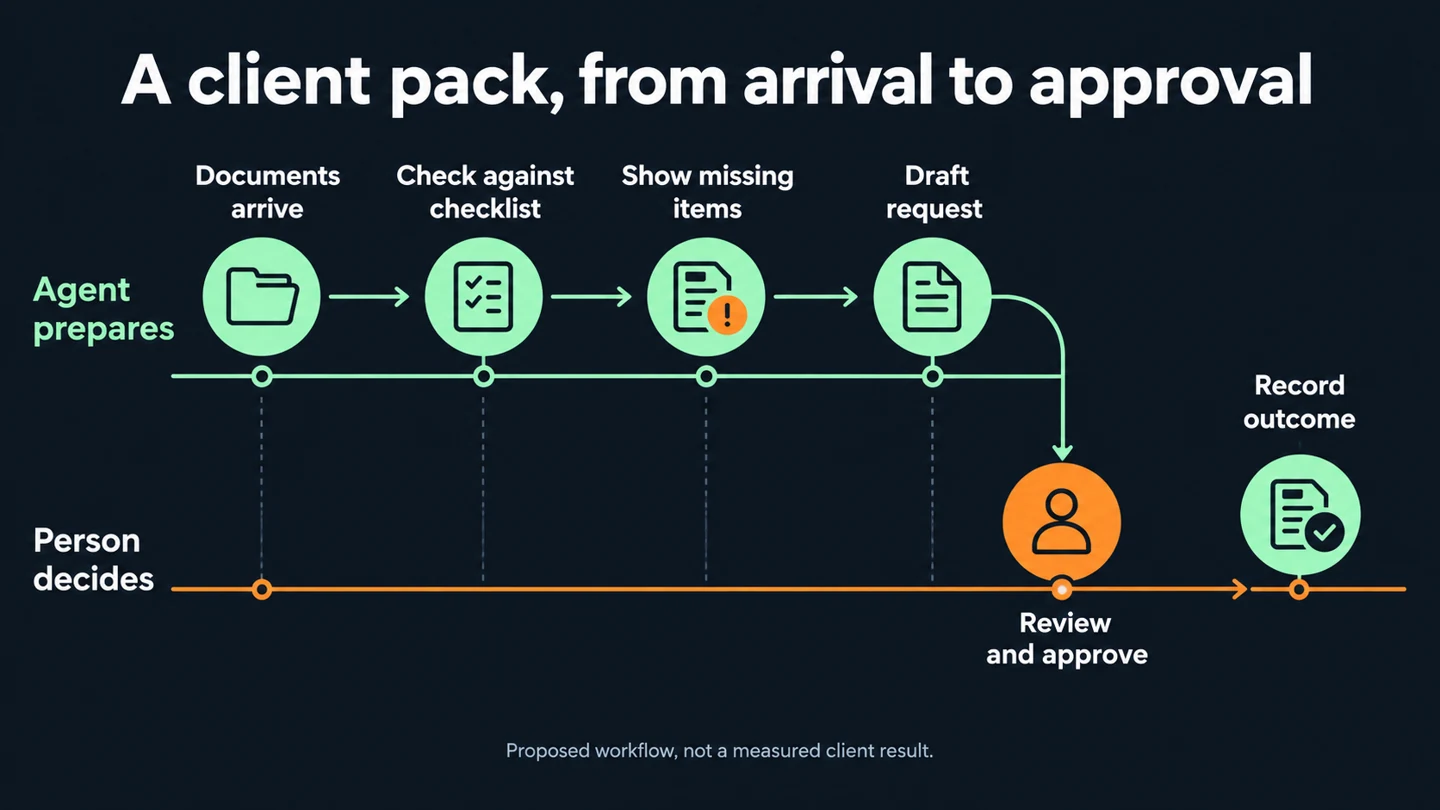
I would explore a document completeness check. In our core guide, this is Agent 5, "Onboarding pack and completeness check". The example below is a proposed workflow, not an out-of-the-box product or a client result.
1. A document arrives. A supported event connection starts the task, or a person starts it manually.
2. The agent checks the pack. It compares supplied documents with the firm's approved checklist and identifies missing items. It shows which sources support its answer.
3. A shared page records the findings. The case owner can see what arrived, what is missing and any uncertain matches.
4. The agent drafts the request. It prepares a message asking for missing material. A person checks the details and approves the communication.
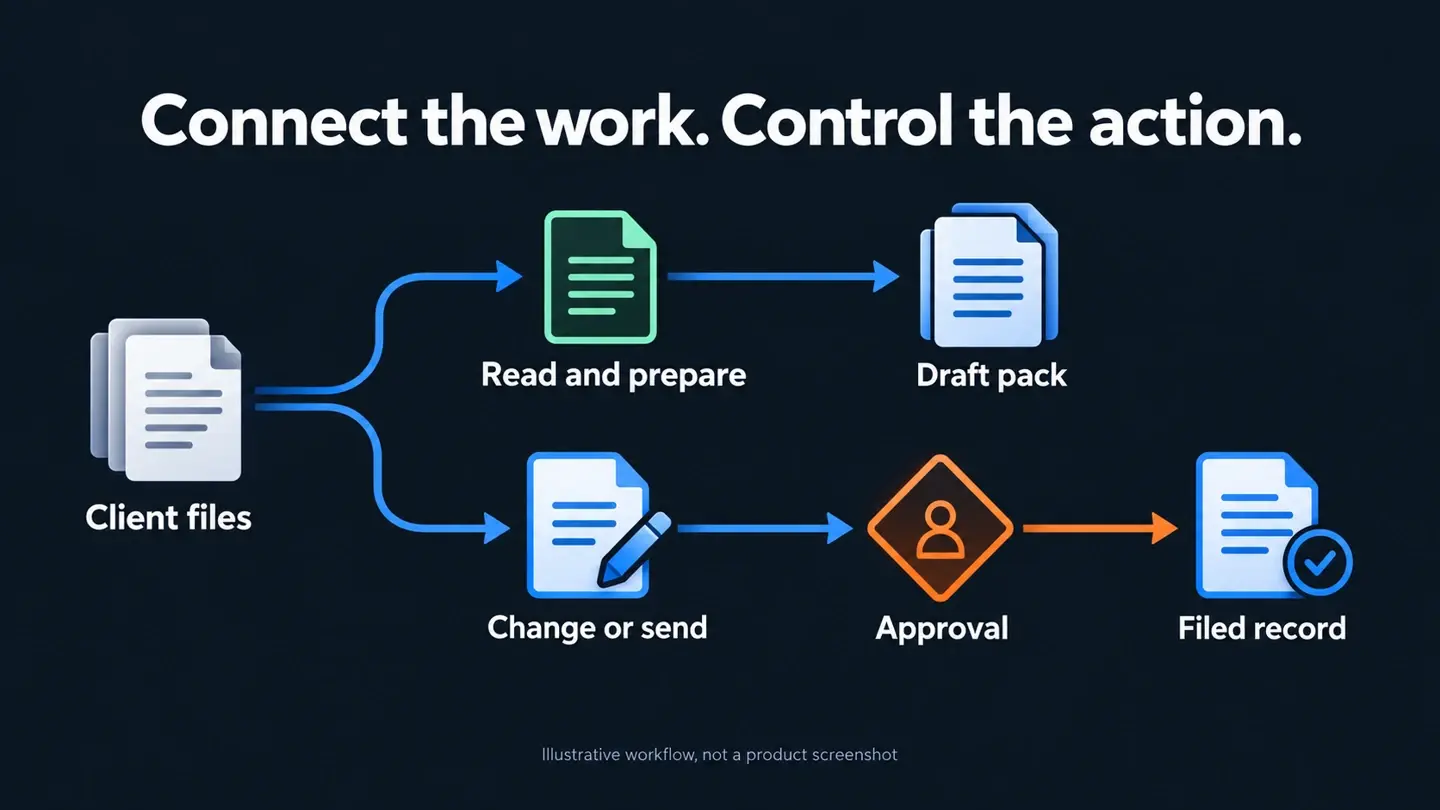
5. The approved status reaches the case system. The integration records the outcome using the firm's chosen permissions and record-keeping process.
Several DevDay announcements could support parts of this design. Plugin extensions let developers build interactive panels and file viewers inside ChatGPT. That could give a reviewer a useful checklist alongside the conversation. Plugin extensions.
MCP events allow supporting plugins to react to changes in connected systems. For this example, a new file could be the trigger. It requires a compatible integration; support does not appear automatically for every system. MCP events.
Sites can also host supported plugins. That creates another possible interface for a team using its own connections and permissions. OpenAI also improved plugin creation, submission and discovery. DevDay recap.
What I would measure is straightforward: completeness errors, reviewer time and cases returned for correction. Faster drafts only help if the completed work improves.
Our financial-advice compliance discovery case illustrates how we scope document work with human review. It describes discovery and a proposed approach, not production results from these new OpenAI features.
Why does GPT-6.1 Sol matter for everyday work?
The new model improves capability in coding, computer use and professional tasks. OpenAI reports performance close to Astra on several evaluations, at one-fifth of Astra's standard input and output token prices. These are the vendor's evaluations. GPT-6.1 Sol.
The published API prices are $2 per million input tokens, $0.10 for cached input and $10 for output. Tokens are the units used to meter model input and output. These dollar prices are current as of 30 September; they are not a project quote.
I would test Sol on repeated document work where quality can be checked against an agreed answer. A lower model bill matters, but reviewer time, retries and integration costs also belong in the calculation.
Ultrafast is a separate speed option. OpenAI reports up to eight times faster token generation for Astra in Codex. Whole tasks will not necessarily finish eight times faster, and the mode consumes allowance faster. Sol Ultrafast is still forthcoming. Speed options.
Which other announcements are worth watching?
Several deserve attention from the person responsible for a firm's systems, even if they are less visible to everyday users.
| Announcement | What it could mean for a business |
|---|---|
| Codex Cloud | Development tasks can continue in configured cloud environments while a computer is asleep. Details |
| Code Review | Teams can inspect changes and use automatic preliminary reviews. GitLab support in Code Review remains preview. Details |
| Codex Security Cloud | Repository scans can investigate findings and prepare fixes for review. Details |
| Agents API with computer use | Developers get another route to agents that interact with software. Details |
| Bedrock Managed Agents powered by OpenAI | A preview route for running agents in AWS, relevant to firms already using that infrastructure. AWS |
| Meetings plugin | Meeting summaries and actions saved into Space. The macOS beta deletes audio after notes are ready. Details |
Decisions API, initially in limited preview, focuses on questions with predefined answers, such as routing a request. The CLI also received voice and multi-agent workflow improvements. Shareable profiles help people distribute Sites and plugins. DevDay recap.
There are commercial changes too. Sign in with ChatGPT allows eligible usage in participating tools to draw on a Plus or Pro allowance. Pro 500 adds a higher usage tier at $500 a month. Connected plan usage and Pro tiers.
Marketplace lets eligible enterprise customers apply part of an OpenAI contract commitment towards approved partner software. Our Select Partner status does not automatically make us a Marketplace supplier. Marketplace.
What would I check before using confidential information?
I would check the chosen feature's permissions, retention and processing location against the firm's requirements. A product announcement does not settle those questions for an individual deployment.
Private Safety Processing is worth examining: it supports automated safety review without OpenAI personnel accessing the underlying content. Its design includes encrypted storage controlled by the customer. It should not be described as data never being stored anywhere. Technical documentation.
Private Inference is a further development to watch, with a preview promised for autumn. For initial trials, I would use approved sample material and set explicit limits on actions.
The Meetings plugin also deserves a practical check. If a firm needs replayable audio as part of its record, the deletion behaviour affects its suitability. Our guide to AI meeting notes and client files covers the broader workflow question.
Where would I start this week?
I would choose a job with a clear finish: a checked onboarding pack or a client briefing ready for review. First, write down the sources, the expected result and who accepts it. That costs nothing beyond the team's time.
Then I would try the simplest suitable route already available in the firm's tools. A connected task is worth considering when work needs several systems. A custom build comes later, when the actual requirement justifies it.
My first impression is positive. These releases give businesses more ways to organise useful work around AI. I am especially interested in shared tasks that a team can inspect and improve together.
The next step is to test one of those possibilities against real working standards. If your team has a process in mind, book a discovery call. We can help work out which route deserves a trial.
Frequently asked questions
Are dots available in the UK and Ireland?
Personal Pro access excludes the UK and EEA at launch. Business Premium includes supported ChatGPT regions. Enterprise access is a beta controlled by the workspace administrator. Check current availability before designing a workflow around it.
Does every employee need a ChatGPT licence to use it in Teams?
Not necessarily. OpenAI says colleagues can participate through enabled channels without individual ChatGPT licences. The organisation still needs the relevant setup, permissions and usage arrangements.
Can these tools run client onboarding automatically?
They provide components that could support an onboarding workflow. Connections, the checklist and approval rules still need configuration and testing. Softblues would scope these around the firm's systems and named process owner.
Which release should a business try first?
Start with the job you need done. For a team already using Teams, a shared preparation task may be a useful trial. For repeated document processing, model quality and total cost may matter more. Softblues would compare that with the tools you already have.
Sources: primary vendor pages linked throughout, checked 30 September 2026. Examples are illustrative; no new-feature production results are claimed.
Work out your numbers
Your whole firm
AI ROI calculator
Five questions about your firm. See the time AI frees up, what it is worth and when it pays for itself.
Work out your numbersOne key process
Process automation ROI calculator
Five questions about one process. See the hours an AI agent frees up, what they are worth and how much becomes profit.
Work out your numbers
Free. No sign-up. Your answers stay in your browser.
See it in production
Systems we have built and run for clients, with the numbers that came out of them.
Related Articles

Claude vs ChatGPT vs Copilot: what does an AI agent task really cost?
MCP server access: Claude, ChatGPT and Copilot in Microsoft 365