
Automated Invoice Processing for Mid-Market Finance Teams: Workflow, Tools and ROI
Processing an invoice by hand costs $10–15; automated, it drops to $2–3. A practical guide to AP workflow, OCR, ERP posting, tools and ROI for UK mid-market finance teams.

By Ivan Pylypchuk (opens in a new tab), CEO of Softblues. We put Claude and process automation into production for finance, legal and healthcare teams across the UK and Ireland.
Automated invoice processing uses software to capture an invoice, read its data, match it to a purchase order, route it for approval and post it to your accounting system, leaving people to handle only the exceptions. Done well, it cuts the cost of handling an invoice from $10–15 to $2–3 and shortens the cycle from around two weeks to a few days.
Processing a single supplier invoice by hand costs a finance team roughly $10–15, and automation drops that to $2–3 (Levvel Research, via Ascend Software, 2025). The same research puts the average manual invoice cycle at about 14.6 days. At Softblues, a UK and Ireland automation partner working with regulated mid-market finance teams, we treat invoice processing as a workflow problem first and a software problem second, because the tool rarely fails on the easy invoices. It fails on the exceptions.
This guide is the implementation middle ground the search results skip: how the workflow actually maps, where extraction ends and approval begins, how the work posts back to Xero, QuickBooks, Sage or NetSuite, and how to model the return before you sign anything.
Key facts
- Manual invoice cost: $10–15 each; automated: $2–3 (Levvel Research, market benchmark, 2025). A 50–500-person firm processing 2,000+ invoices a month feels that gap fast.
- Manual cycle time: about 14.6 days; automated: 3–5 days (Levvel/Ascend, 2025).
- Error rate: roughly 2% manual, under 0.8% automated (IOFM, market benchmark), which means fewer duplicate payments and reposted entries.
- Over 60% of invoices still need human touch in a typical AP team (Ardent Partners, 2025). The goal is touchless on the routine, not zero people.
- Three layers, not one product: data capture and extraction, an approval workflow, and posting to your ERP. A "build vs buy" decision sits at each layer.
- The hard part is non-PO invoices and exceptions, like utilities or one-off spend with no purchase order, not the clean three-way matches.
Who this is for, and who it isn't
This is for a 50–500-person UK or Ireland company whose AP team keys invoices by hand, chases approvals over email, and runs Xero, QuickBooks Online, Sage or NetSuite. If you process more than a few hundred invoices a month and month-end slips because AP is still catching up, this is for you.
It is not for a sole trader with a handful of bills a month, where a bank feed and a bookkeeper are already enough. And it is not a promise of a fully "touchless" finance team. Some invoices should always stop for a human.
What is automated invoice processing?
Automated invoice processing is the use of software to take an incoming invoice from arrival to posting with little or no manual keying. A modern system captures the document (email, PDF, scan or e-invoice), uses optical character recognition (OCR) and increasingly large language models to extract the supplier, amounts, tax and line items, checks it against a purchase order or expected pattern, routes it to the right approver, and writes the result into your accounting system.
The phrase covers two related things people often conflate. Extraction is reading the document accurately. Workflow is everything after: matching, approval, exception handling and posting. Most failed projects nail the first and ignore the second.
Why is accounts payable so hard to automate?
Because the easy invoices were never the problem. A clean purchase-order invoice that matches the PO and the goods receipt can be matched and posted automatically today with high confidence. The work that eats your team's week is the rest: a non-PO invoice for a one-off service, a utility bill with no line items, a quantity that is one unit short, a supplier who changed their bank details.
What does an automated AP workflow look like?
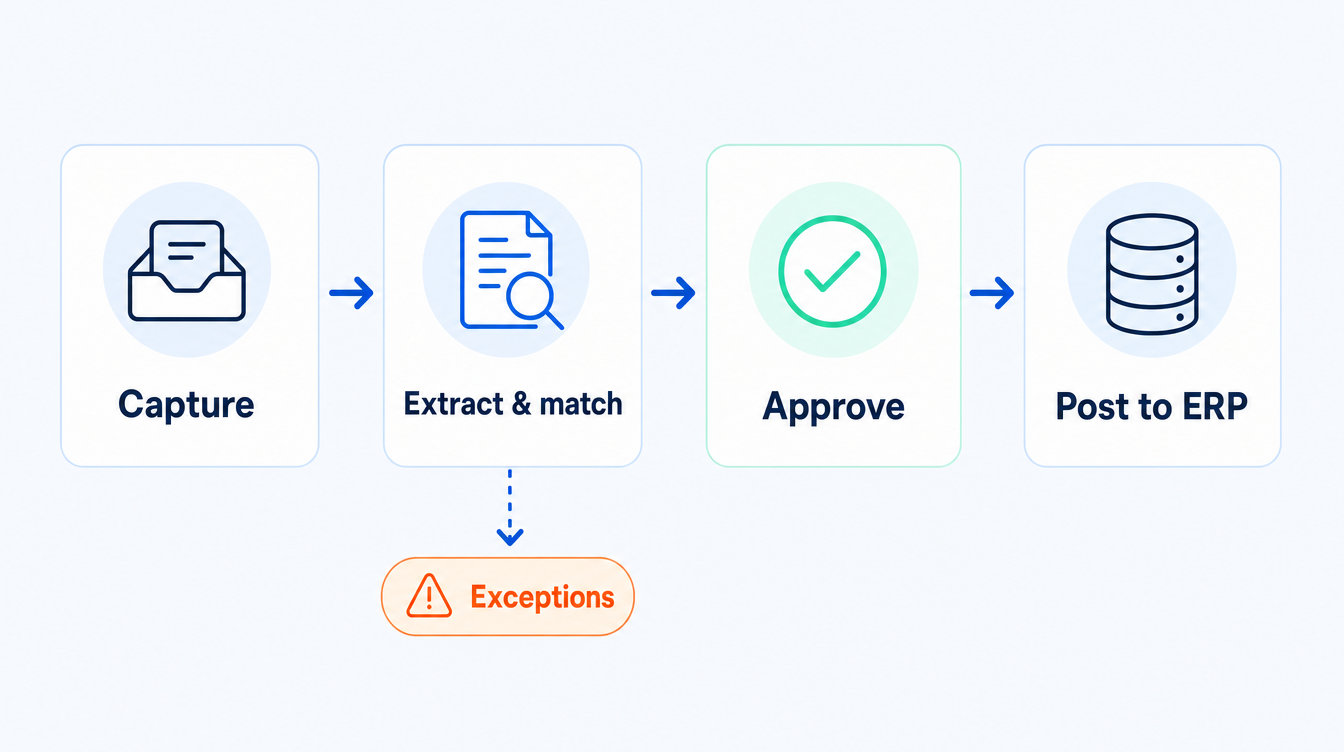
Five stages, in order. Map your current process onto these before you look at any product, because the gaps you find are the requirements.
1. Capture. Invoices arrive by email, portal, post and e-invoicing. A single inbox or capture address pulls them into one queue so nothing lives in a personal inbox.
2. Extract. OCR and an AI model read the header and line data. The number that matters is straight-through accuracy on your real invoices, not a vendor's lab figure.
3. Match. Purchase-order invoices get a two- or three-way match (PO, receipt, invoice). Non-PO invoices route by supplier, cost centre or coding rules instead. This split is the heart of the design.
4. Approve. The invoice goes to the right approver with limits and segregation of duties enforced, ideally in a tool they already open, with a full audit trail.
5. Post. The approved invoice writes to Xero, QuickBooks, Sage or NetSuite with the correct coding, and the exception queue holds anything that failed a check.
Which tools should mid-market teams consider, and should you build or buy?
For most mid-market finance teams, buying a configurable AP platform that integrates with your accounting system is the right first move. Building custom extraction earns its keep only when your invoices are unusual, your volume is very high, or you want one automation layer across several processes, not just AP.
| Approach | What it is | Best for | Avoid if |
|---|---|---|---|
| Native ERP feature (Xero, QuickBooks, Sage, NetSuite) | Built-in capture and approvals | Lower volume, simple PO flows, one entity | You have heavy non-PO spend or multi-entity coding |
| Dedicated AP platform | Specialist capture, matching and approval, posts to your ERP | Most 50–500-person teams with mixed PO and non-PO invoices | You need automation well beyond AP |
| Custom / AI-built workflow | Extraction and routing built around your exact process, often LLM-based | Unusual documents, high volume, or one layer across many processes | A configurable product already fits |
What does it cost, and what is the ROI?
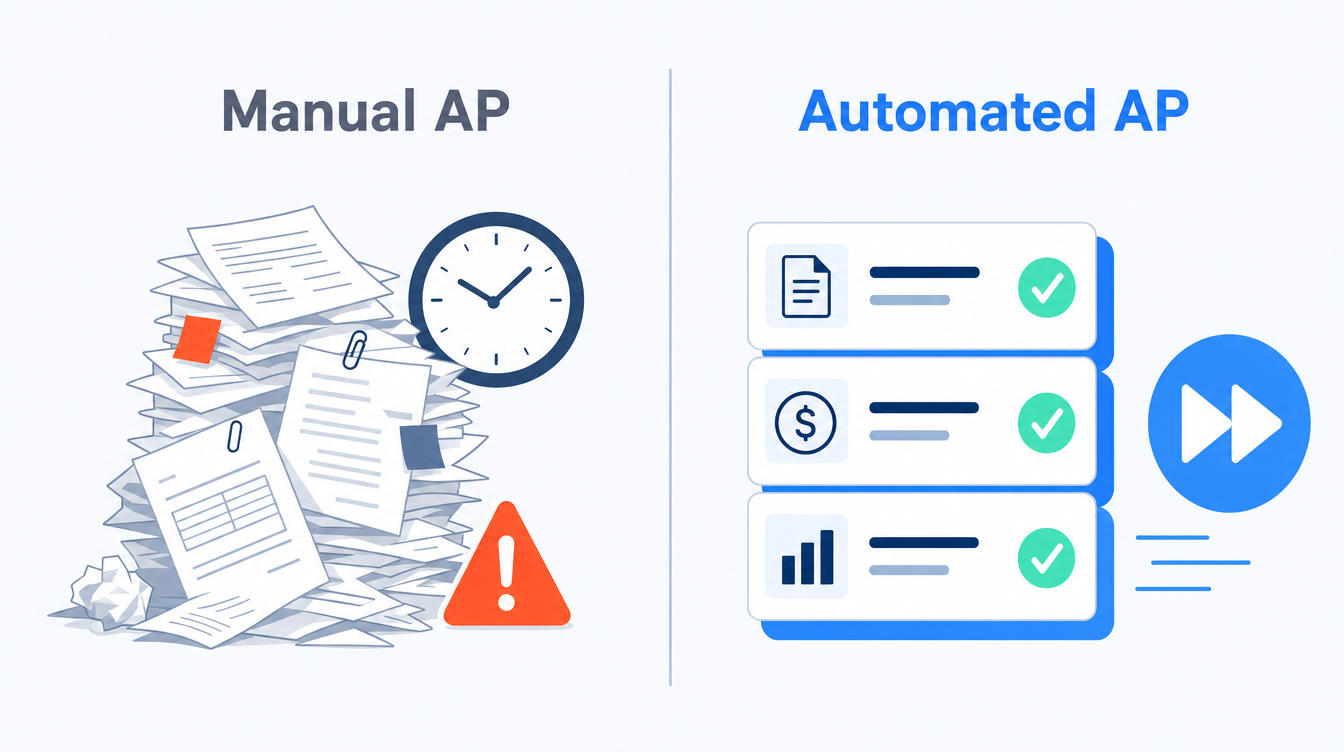
The honest model is simple. Take your monthly invoice volume, multiply by the cost gap between manual and automated handling, and weigh it against the platform and implementation cost.
| Metric | Manual (market benchmark) | Automated (market benchmark) |
|---|---|---|
| Cost per invoice | $10–15 | $2–3 |
| Cycle time | ~14.6 days | 3–5 days |
| Error rate | ~2% | under 0.8% |
| Touchless rate | ~30% | 60–80% |
Source: Levvel Research and IOFM, via Ascend Software, 2025; figures are market benchmarks in USD, not Softblues pricing.
A team handling 3,000 invoices a month sits at roughly $30,000–$45,000 of manual handling cost versus $6,000–$9,000 automated, before counting the duplicate payments and late fees that errors and slow cycles cause. The point of the model is not the exact figure. It is that the saving scales with volume, so the higher your volume the faster the payback.
At Softblues we scope this in a paid discovery and give you the timeline and the price in the proposal before any build starts. You can see a related document-and-workflow automation engagement, anonymised, in our order-to-schedule automation case study, which began as a discovery and scoping piece rather than a live deployment.
Our process automation ROI calculator shows what an agent on invoice work frees up, and how much of that time becomes profit.
What about VAT, audit and controls?
Automating posting does not remove your obligations, it makes them easier to evidence. UK VAT records must be kept digitally and returns filed through compatible software under HMRC's Making Tax Digital rules (GOV.UK), so a clean audit trail from capture to posting is an advantage, not an afterthought.
Keep three controls non-negotiable: segregation of duties (the person who approves is not the person who sets up the supplier), approval limits enforced in the workflow, and supplier bank-detail changes flagged for a second check to reduce fraud risk. Personal data on invoices sits under UK GDPR, so confirm where your provider stores and processes documents (ICO). For financial-services firms, your own SM&CR accountabilities still apply to an automated process.
Red flags when buying AP automation
1. Accuracy quoted on the vendor's data, not yours. Ask for a pilot on your real invoices, including the messy ones.
2. No clear exception workflow. If the answer to "what happens when it doesn't match" is vague, the routine 60% will still land on a person.
3. Weak ERP integration. "We export a CSV" is not posting to NetSuite. Confirm the write-back and the coding.
4. Lock-in on your own data. You should be able to export invoices, audit trails and coding without paying to leave.
Questions to ask a vendor, and what a good answer sounds like
Ask "what straight-through rate do you reach on non-PO invoices for a client like us?" A good answer gives a range and the conditions, not a single hero number. Ask "how do you post to our ERP and handle a failed match?" A good answer names your system and walks the exception path. Ask "where is our data processed, and how do we get it out?" A good answer is specific about location and export. Vague, confident answers to specific questions are the warning sign.
Frequently asked questions
What is automated invoice processing in simple terms?
It is software that takes an invoice from arrival to posting, capturing the document, extracting the data, matching it, routing approvals and writing it to your accounting system, with people handling only the exceptions.
How much does automated invoice processing save?
Market benchmarks put manual handling at $10–15 per invoice and automated at $2–3, with cycle time falling from about 14.6 days to 3–5 days (Levvel Research, 2025). The saving scales with volume, so higher-volume teams see faster payback.
Does it work with Xero, QuickBooks, Sage or NetSuite?
Yes. Most dedicated AP platforms and custom workflows post directly to these systems. Confirm the write-back posts with the correct coding rather than just exporting a file.
Can AI handle invoices without a purchase order?
Non-PO invoices are the hard case and the main reason to automate carefully. Modern AI extraction plus coding rules handles much of it, but these are exactly the invoices to test in a pilot.
Is automated invoice processing safe for VAT and audit?
It can strengthen both. UK VAT records must be kept and filed digitally under Making Tax Digital, and a capture-to-posting audit trail makes compliance easier to evidence. Keep segregation of duties and approval limits in the workflow.
How long does it take to implement?
A focused AP automation project for a mid-market team is usually weeks, not months. We scope ours in a paid discovery, with the timeline and the price in the proposal.
Should we build or buy?
Most teams should buy a configurable platform that fits their ERP. Build custom only when your invoices are unusual, volume is very high, or you want one automation layer across several processes.
Invoice processing is the cleanest first automation for most finance teams because the workflow is well understood and the return scales with volume. Get the exception handling and the ERP posting right and the routine flow takes care of itself. As an OpenAI Select Partner, Certified in the Claude Partner Network, we build these flows as practitioners, not slideware, and we measure them against the benchmarks above.
If invoice volume is slowing your month-end, the next process to look at is the close itself: see month-end close automation: a practical checklist for finance teams. When you are ready to scope your own AP flow, book a discovery call. You can also see how we approach business process automation end to end.
Work out your numbers
One key process
Process automation ROI calculator
Five questions about one process. See the hours an AI agent frees up, what they are worth and how much becomes profit.
Work out your numbersYour whole firm
AI ROI calculator
Five questions about your firm. See the time AI frees up, what it is worth and when it pays for itself.
Work out your numbers
Free. No sign-up. Your answers stay in your browser.
See it in production
Systems we have built and run for clients, with the numbers that came out of them.
Related Articles
Claude in Excel for the month-end pack: what AI prepares and finance signs

AI meeting notes: the client file workflow for UK firms