
Generating Proposals and Quotes from Your Rate Card with AI
Teams spend an average of 33 hours answering a single RFP. Most proposals reuse the same rate card, scope patterns and boilerplate. Here is how to make AI do the assembly, with a human owning the price.

By Ivan Pylypchuk (opens in a new tab), CEO of Softblues. Has led Claude and Gemini implementations for finance, legal and healthcare teams across the UK and Ireland.
AI can generate a complete first-draft proposal or quote from a client brief and your rate card: scope, staffing, day rates, assumptions and terms. The rate card stays the single source of pricing truth, the model never prices from memory, and a human approves every quote before it reaches a client.
Teams spend an average of 33 hours responding to a single RFP, according to Loopio's 2026 benchmark of more than 1,500 response teams (market data), and organisations answer 166 of them a year on average. Everyday proposals and quotes are lighter than a formal RFP, but the pattern is the same: hours of assembly for a document built mostly from parts you already have.
At Softblues, an AI consulting firm working with mid-market companies across the UK and Ireland, we produce our own proposals this way, from our own rate card, so this walkthrough describes a workflow we run on live deals.
Key facts
- Average time spent on one RFP response: 33 hours (market data, Loopio 2026, 1,500+ teams surveyed).
- Organisations respond to 166 RFPs a year on average, and 68% of response teams already use AI somewhere in the process (market data, Loopio 2026).
- The working rule: the model assembles, the rate card prices, a human approves. The AI should never state a price it has not read from the rate card file.
- A rate-card-driven workflow typically turns a qualified brief into a reviewable draft proposal in under an hour (our data, from our own proposal workflow, indicative, July 2026).
- Expect a three to six week build for a services firm with an existing rate card and a reasonable template library (our data, indicative).
Who this is for, and who it isn't. This is for agencies, IT services firms, consultancies and other B2B services businesses, roughly 20 to 500 staff, that price work from a rate card, day rates or written pricing logic. It is not for product companies selling fixed SKUs, where mature CPQ tools such as Salesforce CPQ or DealHub already do the job well, and not for firms where every engagement is genuinely priced from scratch.
Why do proposals take days when the pricing already exists?
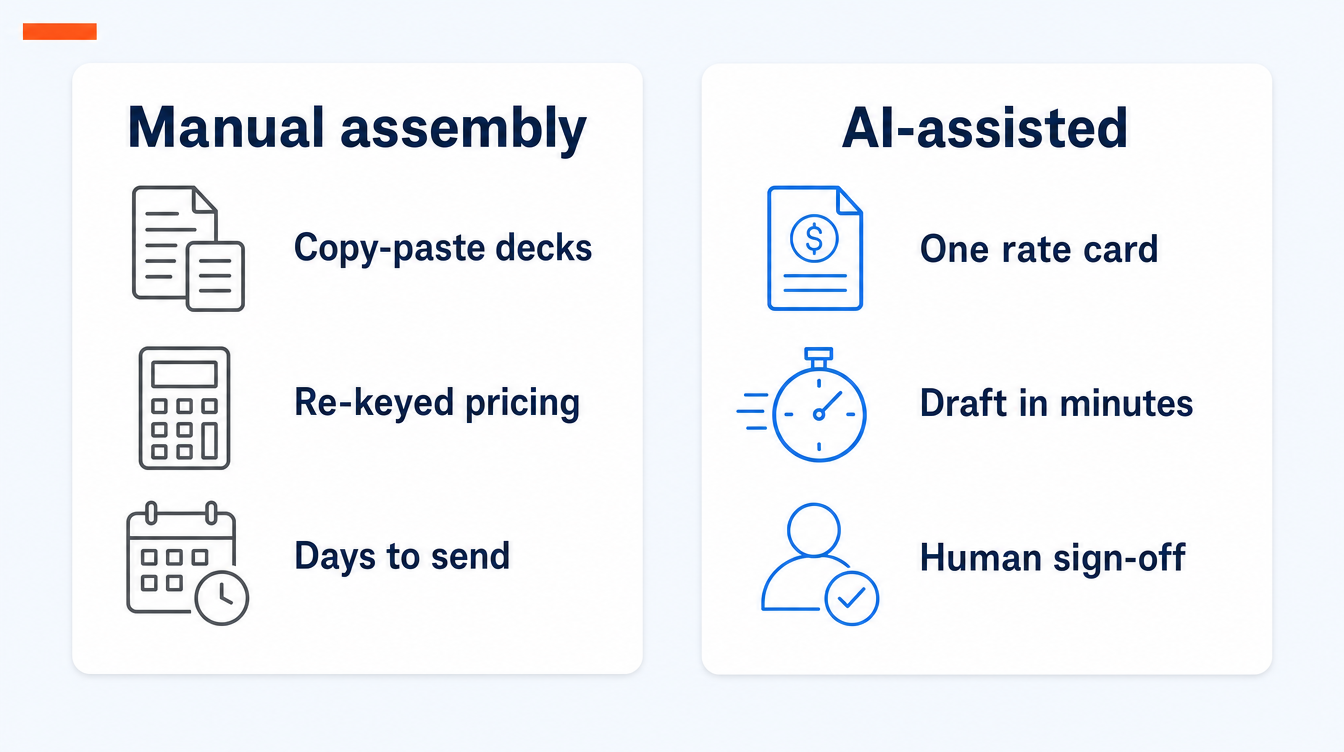
Because the knowledge is scattered. The rate card sits in a finance spreadsheet. The best scope language sits in old proposals. Case studies sit in a marketing folder. Terms sit with whoever last negotiated them. Building a proposal means finding all of it, copying it, re-keying the pricing and hoping the version you copied was current.
The delay has a commercial cost too. A proposal that arrives two days after the call is competing with one that arrived the same afternoon, while the conversation was still warm.
How does AI proposal and quote generation actually work?
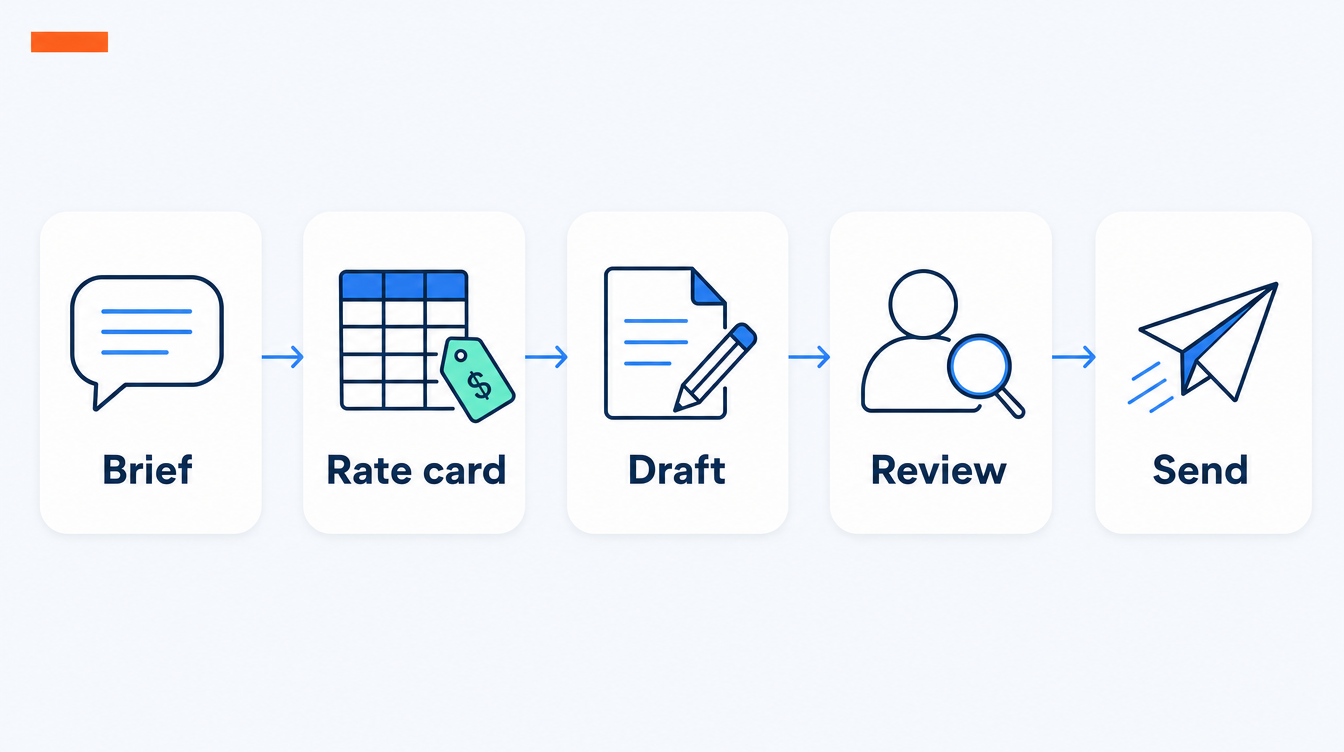
Five steps.
1. Make the rate card machine-readable. One version-dated file, and a spreadsheet is fine: roles, day rates, standard discount bands, validity dates. From now on this is the only place prices come from.
2. Codify your proposal patterns. Gather your best proposals and break them into reusable blocks: scope descriptions per service, standard assumptions, delivery approach, terms. This is a one-off exercise that pays back on every deal afterwards.
3. Brief in, draft out. The salesperson writes a short structured brief: who the client is, the problem, the likely team shape, the duration. The AI drafts the scope, staffing grid, timeline and price, reading every rate from the rate card file and citing which line each figure came from.
4. Human review. The commercial owner adjusts scope, applies judgement on discount and risk, and approves. This step is not optional and never will be.
5. Send and log. The approved version goes to the client, and the brief, the draft and the final document are logged against the deal in the CRM.
How do you stop the AI misquoting?
With guardrails that are mechanical, not hopeful. Prices are read from the rate card file at generation time, never from the model's memory or from previous proposals. Each figure in the draft cites the rate card line it came from. An expired validity date blocks generation until someone updates the card. The totals are checked by code rather than by the language model. And nothing client-facing exists without a named approver.
How much time does this actually save?
A worked model for a mid-size services proposal, outside a formal RFP process. Assumptions are ours, July 2026; adjust for your own deal shape.
| Stage | Manual (typical) | With AI assembly |
|---|---|---|
| Gather scope blocks and case studies | 2–4 hours | Minutes, retrieved automatically |
| Build staffing grid and pricing | 2–3 hours | Minutes, read from the rate card |
| Write the narrative | 3–5 hours | About an hour of editing |
| Internal review and approval | 1–2 days elapsed | Same day |
| Total effort per proposal | 8–12 hours | 1–2 hours |
Formal tenders are a bigger exercise, which is why the market average sits at 33 hours per RFP. The same approach applies with more structure, and we covered it separately in using AI to draft RFP and tender responses. For what belongs inside the document itself, see what should be in an AI consulting proposal or statement of work.
What does the rollout look like?
| Week | What happens |
|---|---|
| 1 | Rate card cleaned, versioned and dated; templates and past proposals gathered |
| 2–3 | Build: the brief format, the generation workflow, the rate-card guardrails |
| 4 | Parallel run on live deals, compared against hand-built proposals |
| 5–6 | Team onboarding; the approval workflow goes live |
(our delivery approach, indicative)
What are the red flags?
1. Prices from the model's memory. If the vendor cannot show you exactly where each figure is read from, the system will misquote eventually.
2. No approval gate. Any workflow that can email a client without a human in between is a liability, not an efficiency.
3. Rebuilding CPQ badly. If your pricing is fixed SKUs and configurable bundles, buy a CPQ product. This approach earns its keep where pricing needs a rate card plus judgement.
4. No logging. Draft, edits and final version should all land in the CRM. If you cannot reconstruct how a quote was built, you cannot improve it or defend it.
We run our own proposals this way
A brief goes in, a drafted scope and price come out, and nothing is sent until it has been read and approved by a person. The pricing is read from our own version-dated rate card. It is part of how we run the whole company on Claude, documented honestly in the Softblues Claude Operating System case study. The delivery work sits within our business process automation practice.
Frequently asked questions
Which tools do we need to start?
A capable large language model such as Claude, your existing file storage for the rate card and templates, and your CRM. You do not need to buy a proposal platform to prove the workflow; most of the value is in the rate card discipline and the guardrails.
Does this work with fixed-fee or value-based pricing rather than day rates?
Yes, provided the pricing logic is written down. If the rule is "discovery is a fixed price band by company size", the model can apply it. If the rule lives only in the founder's head, write it down first; that exercise is valuable on its own.
How are discounts handled?
Standard discount bands live in the rate card and the model can apply them. Anything outside the bands is exactly the kind of judgement the approval step exists for.
Will every proposal sound the same?
The template sets the structure, the brief brings the client specifics, and the reviewer adds the thinking. In practice the drafts free up time that used to go on assembly, and the editing attention goes to the sections that win deals.
Is our client and pricing data safe in a language model?
On an enterprise deployment, yes, with the usual diligence: no training on your data and clear retention controls. Our Claude Enterprise implementation checklist covers the governance settings to configure before commercial data touches a model.
How do we measure whether it is working?
Three numbers: time from qualified brief to sent proposal, proposals sent per month, and win rate. If the first two improve and the third holds or rises, the workflow is earning its keep.
Where to start
Version-date your rate card this week; it costs an hour and removes the biggest source of misquotes whether or not you automate anything else. Then gather your ten best proposals as raw material. If you would rather see the workflow than read about it, book a discovery call and we will show you the one we use for our own proposals.
Work out your numbers
One key process
Process automation ROI calculator
Five questions about one process. See the hours an AI agent frees up, what they are worth and how much becomes profit.
Work out your numbersYour whole firm
AI ROI calculator
Five questions about your firm. See the time AI frees up, what it is worth and when it pays for itself.
Work out your numbers
Free. No sign-up. Your answers stay in your browser.
See it in production
Systems we have built and run for clients, with the numbers that came out of them.
Related Articles

Claude in Excel for the month-end pack: what AI prepares and finance signs

AI meeting notes: the client file workflow for UK firms